Project management for teams that work with AI.
A kanban board with a terminal CLI and MCP server built in. Your coding agents read cards, do the work, and post results back.
$ curl -fsSL https://app.heyquill.io/install.sh | shInstall the CLI for terminal agents and developer workflows.
the board. cards know their type, scope, and connectors. agents read them, work them, post back.
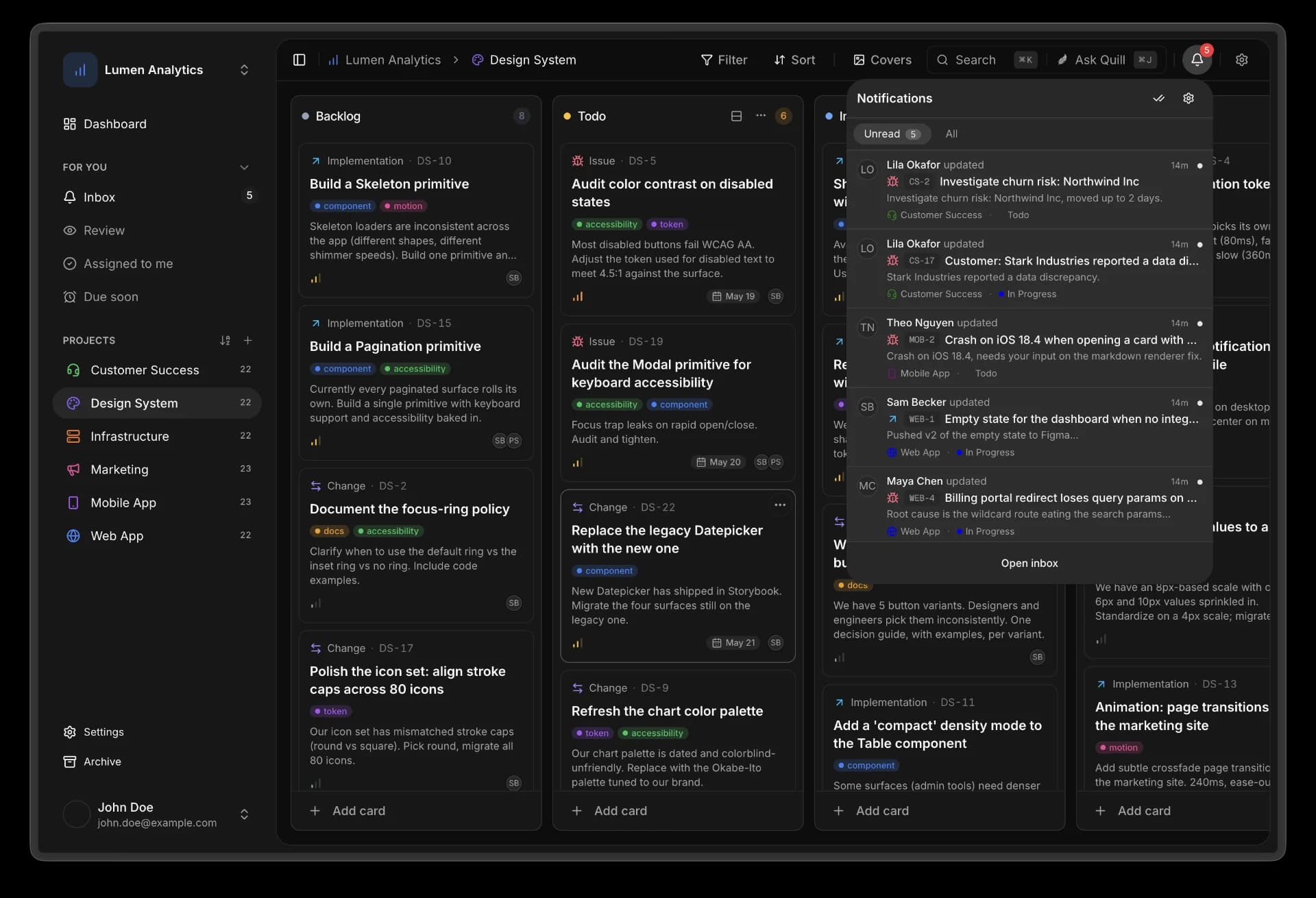
Three things you can't get from a generic board.
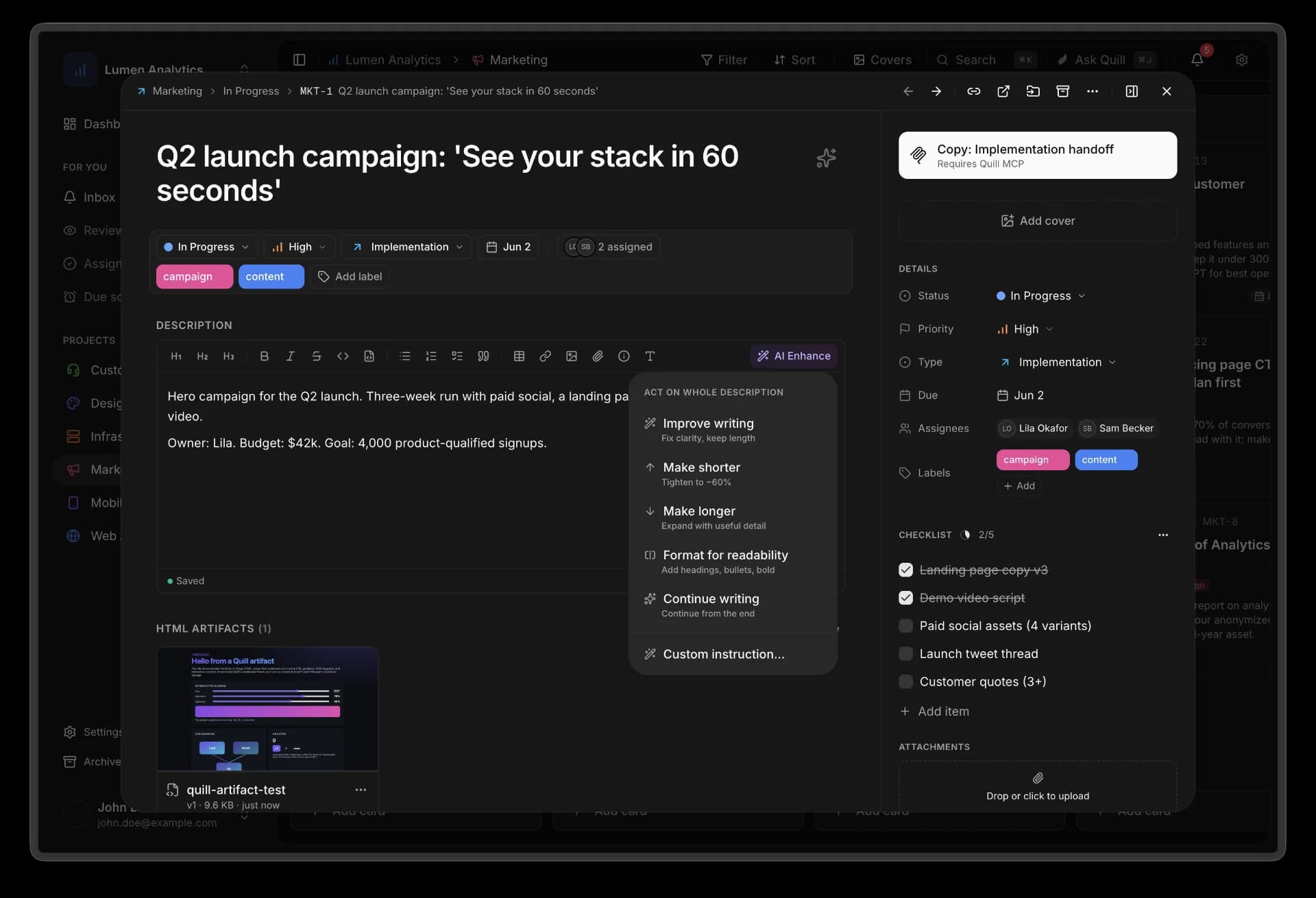
01 · the card
One card, one handoff.
Every card is a brief: type, scope, checklist, linked repo, attached files, recent activity. Quill's CLI and MCP tools let agents read and update it from the terminal or their native client. No prompt engineering on your end.
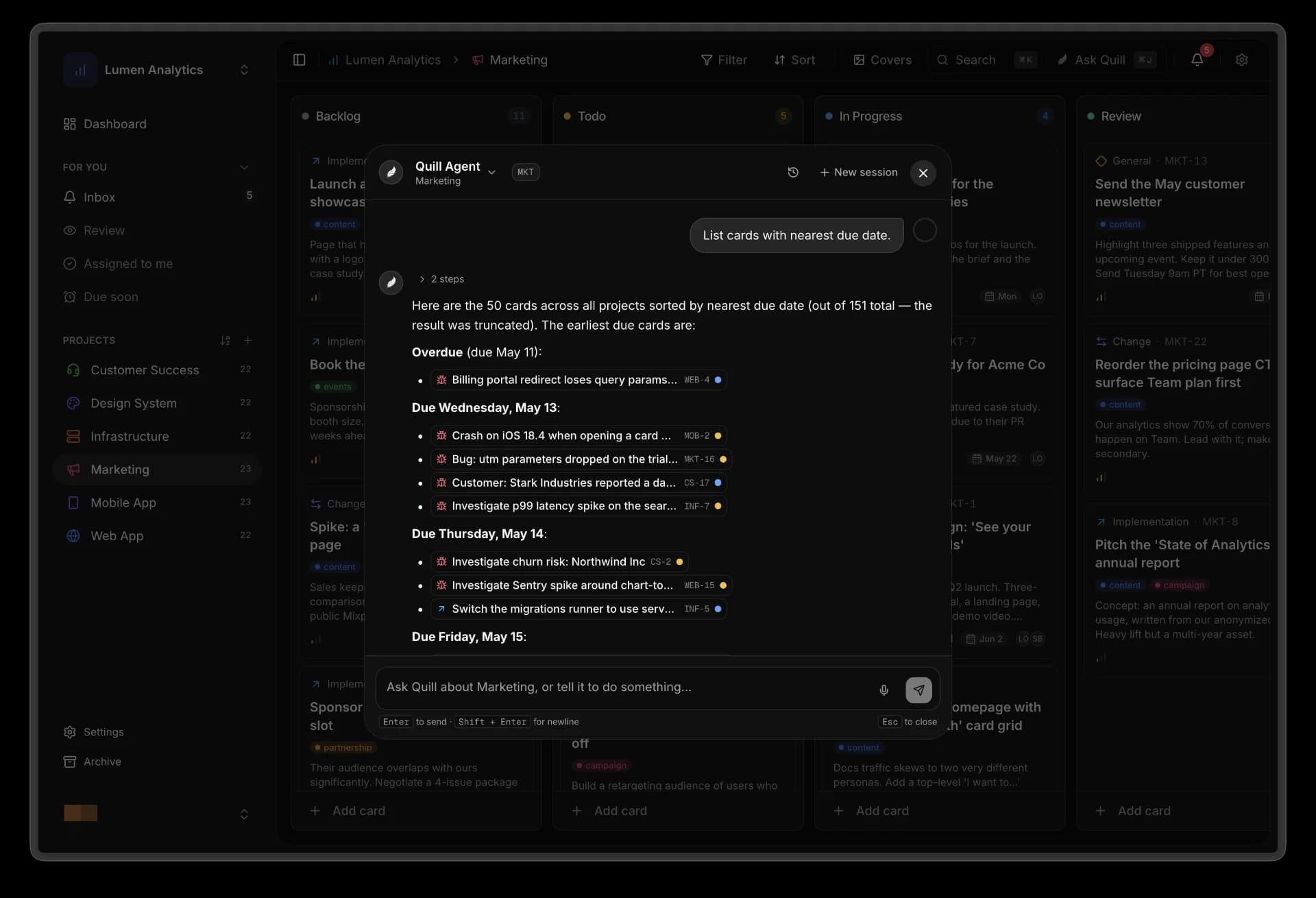
02 · the agent
An agent that knows your project.
Quill Agent runs on the current card and your workspace knowledge. Ask in the palette, in a comment, or by voice. It cites what it used.
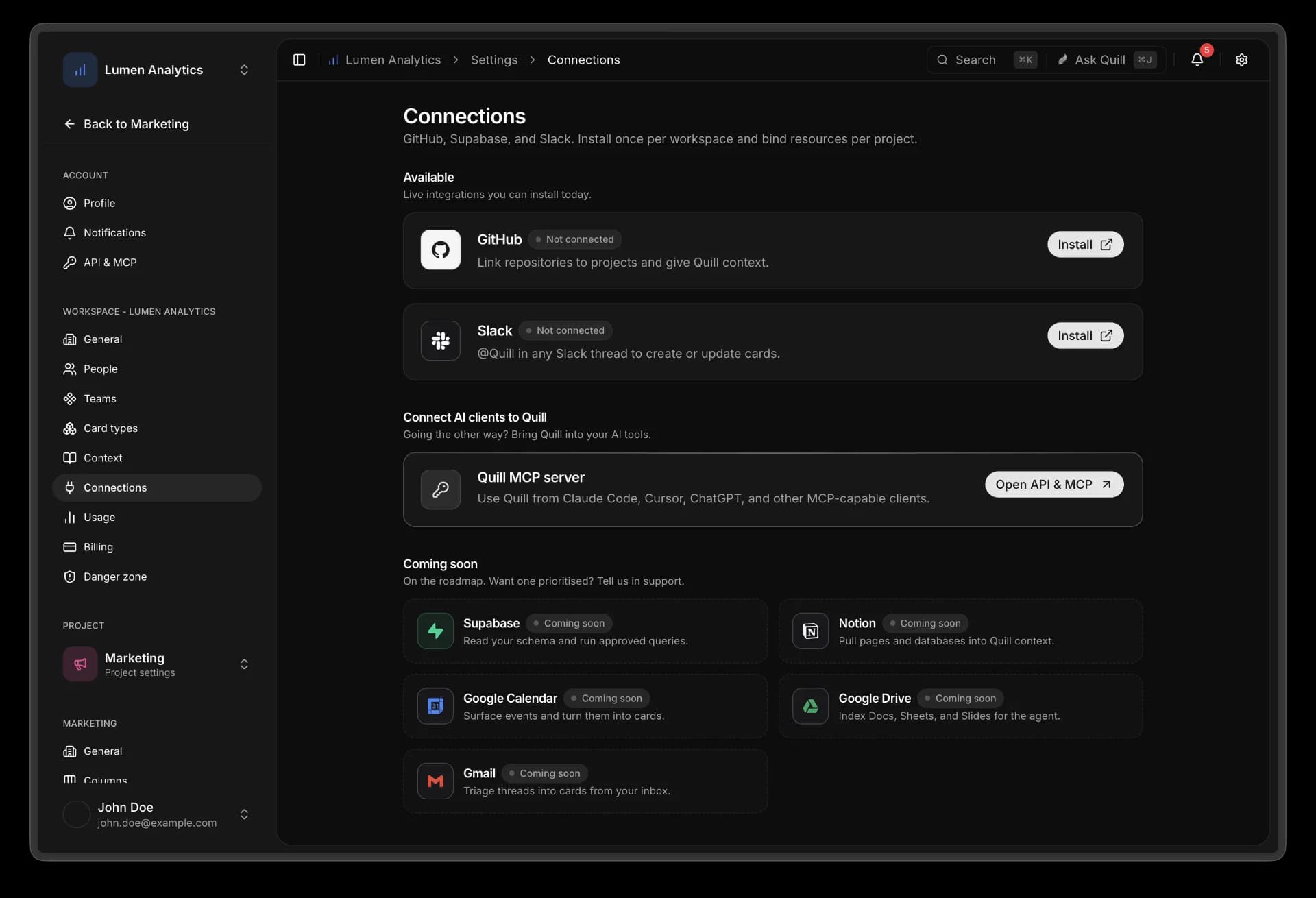
03 · the surfaces
Works where your team already is.
Connect GitHub, Slack, the Quill CLI, and your coding agent. Create cards from a Slack message. Mention @Quill in a thread. One OAuth, the board stays the source of truth.
Give your agent a clean command line into Quill.
The Quill CLI is a simpler path than wiring MCP when your agent already runs in a shell. Login once, fetch the card, pull the handoff kit, post comments, and create artifacts from scripts or CI.
MCP is still there for native clients. The CLI is the direct path for terminals, CI, and coding agents.
Install CLI$ quill login$ quill handoff --card WEB-42$ quill cards get --card WEB-42 --json$ quill comments add --card WEB-42 --body "Opened a PR."
Everything the board ships with.
CLI + MCP
Install quill in your terminal, or connect MCP-native clients. Agents can read cards, write comments, create artifacts, and pull handoff kits.
terminal · claude code · cursor
Quill Agent
Grounded in the current card and your workspace knowledge. Ask in the palette, by comment, or by voice.
palette · comments · voice
Slack
Turn any message into a card. Mention @Quill in a thread to spin up the agent with the card's full context.
messages · @ mentions
GitHub
Bind repos to projects. Webhook ingests PRs, issues, and commits. Cards inherit the repo for agent context.
prs · issues · commits
Artifacts
Agents post specs, diagrams, and code-review reports as HTML artifacts. Publish to /p/ links for anyone to view.
html · public links · revisions
Knowledge
Markdown uploads, GitHub repos, and public URLs. Hybrid keyword and vector search. Per project or per workspace.
markdown · github · urls
Start a workspace. Bring your team. Bring your agents.
Free while we are in beta. No credit card, no seat counting.